
Many clusters, one window
Saved connections in folders, each in its own tab. Elasticsearch and OpenSearch are detected automatically.
Connect several clusters, browse indices and mappings, and keep every query organized and searchable. A real Mac app — not a browser tab.
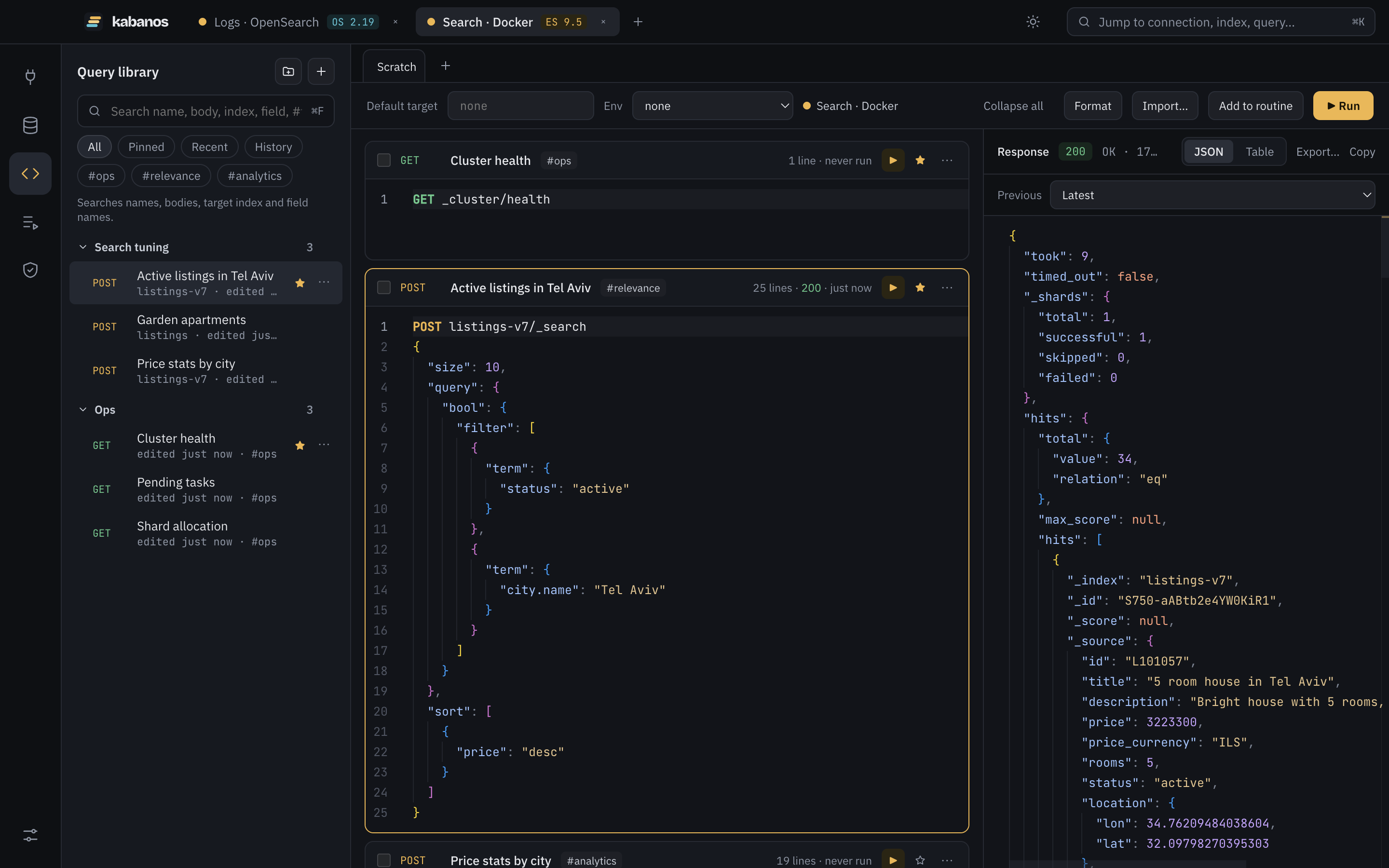
Everything you reach for in Dev Tools, laid out the way a desktop app should be.
Saved connections in folders, each in its own tab. Elasticsearch and OpenSearch are detected automatically.
Filter hundreds of indices, open the mapping, and see which template and aliases apply — then edit them in place.
Folders, pins, #tags and full-text search across names, bodies, indices and fields.
Index names, endpoints, query DSL and the actual fields of your index — with their types.
Build an aggregation like a Compass pipeline: every stage shows its own result, and the JSON is always one click away.
Run several requests in order, pass values between steps, assert results, and dry-run first.
The small things that make a cluster tool pleasant to live in.
Users, roles, API keys and role mappings on Elasticsearch; internal users, roles and tenants with the OpenSearch Security plugin.
Add fields and sub-fields in place. Changing an existing field generates a reindex routine that copies data and moves aliases.
Add or remove alias targets and switch the write index; add, edit and delete template fields or edit the whole template.
Pick the method, edit the path, and see hits as documents, a table or JSON. Edit, clone or delete a document with a diff preview.
Export the current page or every matching document as JSON, NDJSON or CSV — with the index definition alongside if you want it.
Write {{index}} once and switch between staging and production values. Secrets are resolved in the app, never stored in history.
Paste a whole Dev Tools console or a cURL command; it is split into named, runnable blocks.
⌘K jumps anywhere, ⌘↵ runs, ⌘I formats, ⌘F searches the library.
No account, no telemetry. Your library lives on your Mac and secrets stay in the macOS Keychain.
Basic auth, API keys, Elastic Cloud ID, AWS SigV4, custom CA or certificate pinning, SSH tunnels and HTTP proxies.
Requests go straight from the app to your cluster. Your query library and history are stored locally, and passwords never leave the macOS Keychain.
Requests are named blocks you can fold, tag and search — no more lost queries in a long console.
From first connection to multi-step routines.
Read the code, follow the roadmap, report bugs and send pull requests.